- 対応バージョン:不明
- サブスクライバー数:5235
- 最終更新:2026-04-07 12:22:02 UTC
- 制作者:76561198014968620
MOD説明(日本語)
MOD概要
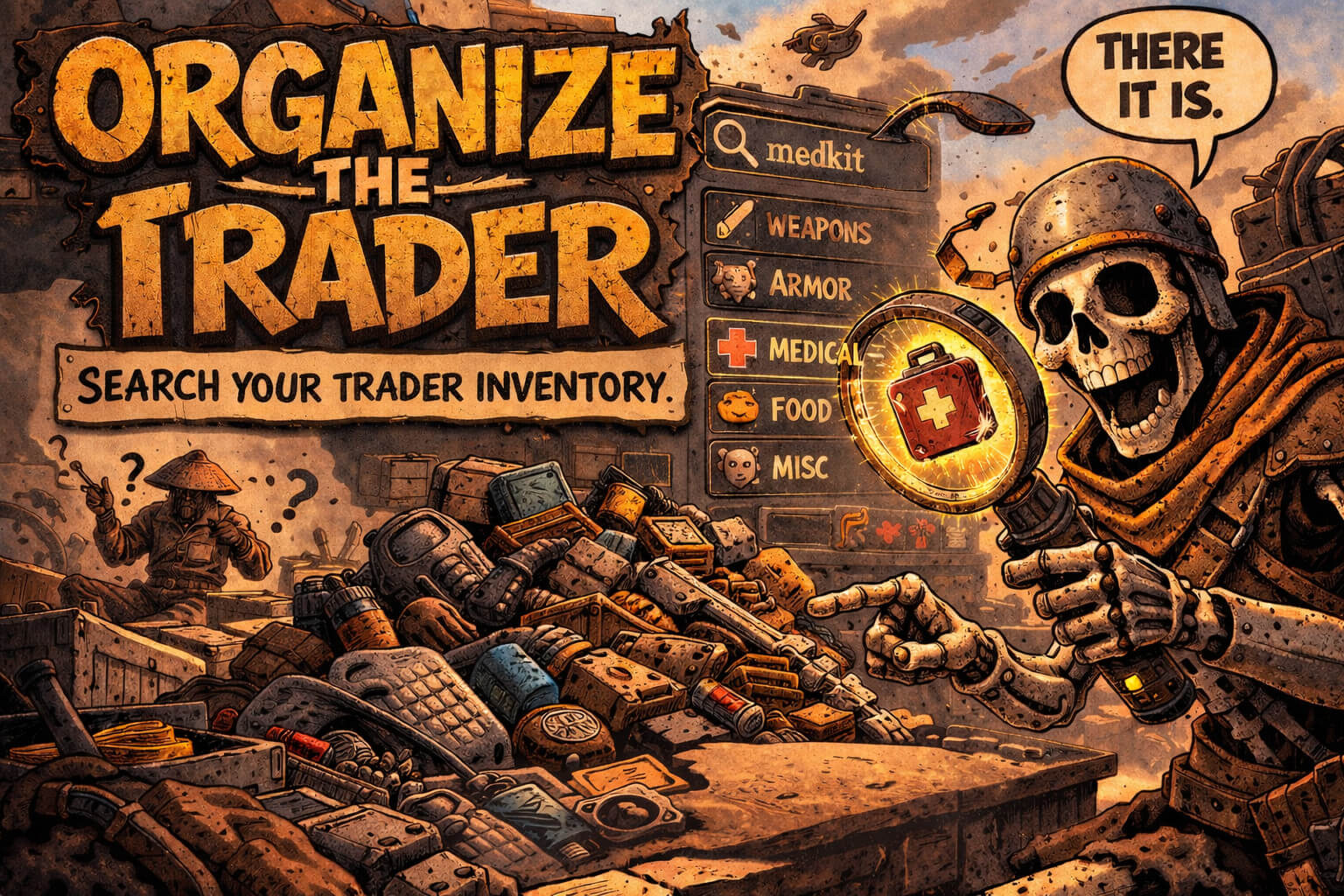
Kenshiのトレーダーウィンドウに検索バーとソートパネルを追加するMODです。アイテム名や設計図の対象アイテム名で検索できるほか、名前、単価、スタック価値、重量、価値/重量でアイテムをソートできます。このMODは取引ロジックやアイテムデータには変更を加えません。動作には必須MODとしてRE_Kenshi 0.3.0または0.3.1が必要で、Kenshi 1.0.65に対応しています。現在のバージョンは0.1.0-alpha.3です。
このMODで何が変わるか
– トレーダーのインベントリに検索バーが追加され、アイテム名をキーワードとして入力することで表示されるアイテムリストをフィルタリングできるようになります。
– 検索バーには、フィルタリングされたアイテムのリアルタイムの結果カウントが表示されます。
– 設計図は「b:」プレフィックスで絞り込み検索できるほか、設計図がアンロックするアイテム名でも検索できます。
– トレーダーウィンドウにドラッグ可能な独立したソートパネルが追加され、名前、単価、スタック価値、重量、価値/重量のいずれかの基準でアイテムをソートできます。
– ソート順は昇順・降順を切り替えることが可能です。
– トレーダーウィンドウを開いた際に、検索バーに自動でフォーカスする設定が可能です。
– Ctrl+Fまたは「/」キーを押すことで、素早く検索フィールドにフォーカスを合わせることができます。
– 検索フィールドにフォーカスがある状態でTabキーを押すと、フォーカスを解除できます。
– 検索バーとソートパネルは、ドラッグしてトレーダーウィンドウ内の任意の位置に移動させることができ、幅、高さ、カウント表示の有無も設定ファイルで変更できます。
– キリル文字での検索およびソートに対応しています。
– もしEmkejs Mod Coreが導入されている場合、ゲーム内メニューのModハブからもこのMODの設定を行うことができます。
想定されるメリット(推定)
– トレーダーのインベントリに大量のアイテムがある場合でも、目的のアイテムや設計図を素早く見つけられるようになると考えられます。
– 特定のアイテムを探して複数のトレーダーを巡る際に、検索機能によって時間の節約につながると考えられます。
– ソート機能を利用することで、単価や価値/重量といった効率の良いアイテムを瞬時に特定できるため、より賢明な取引判断が可能になると考えられます。
– アイテムの視認性が向上し、管理の手間が軽減されることで、ゲームプレイ全体の快適性が向上すると考えられます。
– 商人プレイや拠点建設のための資材調達など、大量のアイテムを売買するプレイスタイルにおいて、効率が大幅に向上すると考えられます。
想定されるデメリット・注意点(推定)
– RE_Kenshiが必須MODであるため、RE_Kenshiを導入していない環境ではこのMODは動作しない可能性があります。
– 現在のバージョンが「0.1.0-alpha.3」と記載されていることから、まだ開発途中のアルファ版であり、予期せぬバグや将来的な機能変更、不安定な動作が含まれる可能性があります。
– 他のUI変更MODや、RE_Kenshiを利用する他のMODとの間に、稀に競合が発生する可能性も考慮されます。
– ゲーム内UIに検索バーやソートパネルが追加されるため、画面の一部が占有されますが、ドラッグによる位置調整が可能であるため、ほとんどの状況で大きな問題にはならないと考えられます。
– アルファ版であるという性質上、今後のアップデートで大きな変更や機能の追加・削除が行われる可能性があります。
向いている人(推定)
– Kenshiでトレーダーからのアイテム購入・売却を頻繁に行うプレイヤーに向いていると考えられます。
– トレーダーのインベントリから目的のアイテムを探すのに時間がかかっていると感じるプレイヤーに特に適していると推定されます。
– ゲームプレイの快適性を重視し、効率的な取引を追求したいプレイヤーに向いているでしょう。
– RE_Kenshiを既に導入している、または導入する予定のあるプレイヤーに適していると推定されます。
– 多くのアイテムを取引する商人プレイや、拠点の設備を整えるために資材を大量購入するプレイスタイルのプレイヤーに向いていると考えられます。
向いていない人(推定)
– トレーダーとの取引をほとんど行わないプレイヤーには、導入のメリットが少ないと考えられます。
– 追加のMODを極力導入したくない、Kenshiのバニラに近い体験を重視するプレイヤーには向いていないでしょう。
– RE_Kenshiを導入する意思がないプレイヤーには、必須要件を満たせないため不向きです。
– アルファ版のMOD導入による潜在的な不安定性やバグを避けたいプレイヤーには推奨されません。
総合評価(暫定)
– おすすめ度:★★★★☆
– 根拠:Workshopのサブスクライバー数は記載がないため不明。しかし、KenshiのトレーダーUIにおけるアイテム検索とソート機能は、多くのプレイヤーが感じる不便さを解消し、ゲームプレイの快適性と効率性を大きく向上させる非常に有用な機能です。RE_Kenshiが必須という導入の敷居はあるものの、その機能性自体は導入する価値が高いと判断できます。ただし、アルファ版であるため、安定性に関しては今後の改善に期待する余地があります。
※この説明文はAIによる自動翻訳です。正確な情報は下記の原文またはSteam Workshop公式ページをご確認ください。
原文を見る(英語)
Requirements
Features
Auto-attached trader search bar
Separate draggable sort panel anchored to the trader window
Search by item name, including blueprint target item names
Cyrillic language support for search and sorting
Blueprint-only search with the b: prefix
Sort by name, unit price, stack value, weight, or value/weight
Ascending or descending sort toggle
Search by item name in trader inventories
Live result counts in the search bar
Configurable search autofocus on trader open
Search bar autofocus when opening a trader
Ctrl+F and / focus shortcuts
Tab blurs the search field when it is focused
Configurable search and sort panel width, height, and count visibility
Draggable search and sort controls anchored to the trader window
How to Use
Open a trader window.
Start typing to filter the trader inventory.
Search blueprints by their unlocked item names, or use b: to show.
Use the sort dropdown to choose Name, Unit price, Stack value, Weight, or Value/weight.
Use the v/^ button to toggle the sort direction.
Press Ctrl+F or / to focus the search field if focus is lost.
Press Tab while the search field is focused to blur it.
Drag the :: handle to reposition the bar inside the trader window.
Configuration
`mod-config.json` lives in `mods\Organize-the-Trader`
You can enable or disable the visible entry count, quantity count, and debug logging there
If Emkejs Mod Core mod is installed, configuration is available also in Mod hub in game menu
Compatibility
No special load order required beyond RE_Kenshi if Emkejs Mod Core is not used.
If Emkejs Mod Core is used for Mod Hub integration, load this mod after Emkejs Mod Core
Kenshi 1.0.65.
Troubleshooting
Confirm RE_Kenshi is installed and enabled
If the trader UI looks stale, close and reopen the trader window before reporting a bug
Version: 0.1.0-alpha.3
My other mods
Wall-B-Gone – Adds a hotkey that allows the player to quickly dismantle player-built walls, furniture
Job-B-Gone – Adds a collapsible in-game panel above the squad UI that lets you quickly remove queued jobs for one member, selected members, a whole squad, or all player squads.
Auto-Pause on Load – Auto-Pause on Load automatically pauses Kenshi after a save finishes loading, giving you time to review your squad and situation before the game resumes.
Loot-Scoot-Execute – Adds an Execute action for downed enemies in the right-click context flow.
Vital Sense – Highlights downed characters with state text/icons and shows configurable bounty symbol markers for downed and live bounty targets while ALT is held.
Emkejs Mod Core – Install this to enable the in-game menu and shared settings for this mod.
Map markers – Adds persistent custom markers to Kenshi’s world map through RE_Kenshi. You can place markers per save, assign a type, add a short label, and manage them directly on the map.
Organize the Crafting Stations – Adds a search bar to Kenshi crafting and research windows so you can filter visible recipes and blueprints without scrolling through the full list.
Vital Read – Adds small configurable status markers to squad portraits so you can read critical downed and injury states at a glance without opening each character panel.
Hidden Faction Relations – Adds an in-game panel to the Options menu that shows the player’s hidden faction relations.
Emkejs Test Kit – Adds an in-game debug toolkit for Kenshi that brings Health, Stats, Teleport, Inventory, and Spawn tools together in a single panel, with spawn faction testing.
Organize the Inventory – Adds search bars to Kenshi’s inventory UI so you can filter the active player inventory view or supported creature and pack-animal inventory views without moving items.
Support / full patch notes
For updates, full changelog, bug reports, and support, use the Nexus page:
Organize the Trader on Nexus Mods
Support the developer
If you enjoy my mods and want to support future development, you can support me on Ko-fi. You can also help decide what I build next by voting in my polls:
https://ko-fi.com/emkej
このMODはSteam Workshopで公開されています。ダウンロード・詳細は公式ページをご確認ください。