- 対応バージョン:1.20.1
- サブスクライバー数:8276
- 最終更新:2026-10-25 01:41:35 UTC
- 制作者:76561197975526631
MOD説明(日本語)
MOD概要
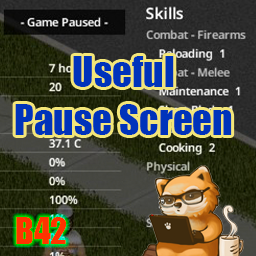
Project Zomboidの一時停止画面に、通常はゲームを再開しないと確認できない様々な情報を表示するMODです。キャラクターの状態、周囲の環境、および設置されたジェネレーターの詳細な情報を一時停止中に確認できるようになります。
このMODで何が変わるか
* **一時停止画面の拡張**: F2キーまたはポーズボタンでゲームを一時停止すると、以下の情報が表示されます。
* **キャラクター情報**: 3Dモデル、職業、体重、髪、髭、お気に入り武器、特性、ムードル、スキル、ボディシルエット、体力バー、全体的な身体状態、防護シルエット。
* **環境情報**: 日付と時刻、生存日数、ゾンビキル数、室温/気温、体温、現在座標(クリックでマップ表示)、季節と次の季節までの日数、特殊な日(元日、夏至など)、天気と風速、移動距離(今日分、累計)、今日の食事量。
* **重要情報**: AEBS放送の最後の内容、ゲームモードとサンドボックス設定(Apocalypseとの差異)、有効なMODリスト、クイックヒント。
* **アラート表示**: 画面上部に、注意が必要な状態が短いバッジで表示されます。
* 負傷(噛み傷、深い傷、骨折、出血、傷口感染など)。
* 主要なAEBS放送(嵐、停電、ヘリコプター)。
* ジェネレーターの問題(燃料切れ、残り1日未満、故障寸前)。
* **ジェネレーター管理**: 起動または給油したジェネレーターの情報を記録し、一時停止画面でその状態を確認できます。
* 座標、燃料、状態、最終確認時刻を自動記録。
* エリアを離れても、最後に確認された状態から現在の燃料レベルと残り時間を推定。
* 燃料残量は3日以上で「日」、2日以下で「時間」表示に切り替わる。
* 稼働中は緑、停止中は白。燃料残り1日未満で琥珀色、燃料切れまたは故障寸前でオレンジ色に表示。
* 座標をクリックするとマップを開き、ジェネレーターの位置をマーク可能。
* RV内装MOD([B42]Project RV Interior、RV Interior Expansion [B42]、Part 2 [B42])で車両内に設置されたジェネレーターはリストから除外されます。
* **表示モードの切り替え**: ポーズ画面上部の「- Game Paused -」メッセージをクリックすることで、表示モードを3段階で切り替え可能(情報非表示、暗転も解除、フル表示)。この選択は現在のゲームセッションのみ有効です。
* **詳細なMODオプション**: Modオプションから、一時停止画面の表示オン/オフ、ゲームモード/サンドボックス設定列、モッドリスト列の表示オン/オフ、分割画面での全プレイヤー表示設定、各セクションの個別表示オン/オフ、距離および風速単位の変更が可能です。
* **互換性**: Build 42 (v42.20.2) を対象とし、シングルプレイヤーおよび分割画面(ローカルCo-op)に対応しています。マルチプレイヤーでは一時停止がないため適用されません。既存のセーブデータにいつでも追加・削除が可能です。
* **非互換性**: TwisTonFire – Better Pauseとは互換性がありません。
想定されるメリット(推定)
* **状況把握の効率化**: ゲームを再開せずに、キャラクターの健康状態、ムードル、環境情報、天気などを確認できるため、次に取るべき行動をより冷静かつ迅速に判断できると考えられます。
* **ジェネレーター管理の簡素化**: 遠隔地にある複数のジェネレーターの燃料や状態を一度に確認できるため、燃料切れによる電力喪失や故障のリスクを軽減し、計画的な給油・修理が可能になると考えられます。特に大規模な拠点や複数の安全地帯を持つプレイヤーにとって非常に有用です。
* **戦略的な計画**: AEBS放送の内容、天気予報、季節の移り変わりなどを一時停止中に確認することで、狩猟、探索、建築などの長期的な計画を立てやすくなると考えられます。
* **ゲーム体験の向上**: 頻繁にメニューを開閉する手間が省けるため、ゲームのフローがスムーズになり、没入感を損なうことなく必要な情報にアクセスできる可能性があります。
* **配信や動画作成の効率化**: 配信者や動画クリエイターがゲームプレイ中に情報を確認する際、一時停止画面にすべてが表示されるため、視聴者も情報を共有しやすくなり、説明の手間が省ける可能性があります。
想定されるデメリット・注意点(推定)
* **情報過多の可能性**: 一時停止画面に多くの情報が表示されるため、特にProject Zomboidを始めたばかりの新規プレイヤーや、シンプルなUIを好むプレイヤーにとっては、情報が多すぎると感じる可能性があります。
* **没入感の低下の可能性**: ゲームの一時停止は本来ゲームの世界から意識を切り離す行為ですが、そこに情報が豊富に表示されることで、一部のプレイヤーはゲームの世界への没入感が損なわれると感じる可能性があります。
* **ジェネレーター情報の限界**: 表示されるジェネレーターの「状態」は最後に確認した時点のものであり、燃料残量からの推定は故障による早期停止を考慮していないため、完全にリアルタイムかつ正確な情報ではない可能性がある点に注意が必要です。
* **Mod間の競合**: UIを大きく変更する他のModとの間に予期せぬ競合が発生する可能性は完全に排除できません。特に「TwisTonFire – Better Pause」とは非互換であると明記されています。
向いている人(推定)
* **効率的な情報収集を重視するプレイヤー**: ゲームの一時停止中に多くの情報を確認したいと考えるプレイヤー。
* **大規模な拠点管理を行うプレイヤー**: 複数のジェネレーターを設置・管理しており、その状態を常に把握しておきたいプレイヤー。
* **計画的なサバイバルを好むプレイヤー**: 天候やキャラクターの状態、今後のAEBS放送などに基づいた戦略的な行動計画を立てたいプレイヤー。
* **配信者やコンテンツクリエイター**: 視聴者に情報を分かりやすく提示したり、自身のゲーム状況を素早く確認したいプレイヤー。
* **ゲームの難易度設定を細かく調整しているプレイヤー**: サンドボックス設定の差異などを素早く確認したい場合に便利と考えられます。
向いていない人(推定)
* **ミニマルなUIを好むプレイヤー**: 一時停止画面にも余計な情報を表示させたくない、または情報過多だと感じるプレイヤー。
* **没入感を最優先するプレイヤー**: 一時停止画面でゲームの世界から完全に切り離されたシンプルな状態を求めるプレイヤー。
* **情報確認よりも直感的なプレイを重視するプレイヤー**: 細かい情報よりも、ゲーム内の雰囲気や感情を優先するプレイヤー。
* **主にマルチプレイヤーサーバーでプレイするプレイヤー**: このMODの機能はシングルプレイヤーまたはローカルCo-opの一時停止中にのみ有効なため。
総合評価(暫定)
* おすすめ度:★★★★★
* 根拠:ゲームプレイの利便性と情報収集能力を飛躍的に向上させる、非常に実用的なMODです。キャラクターの状態、環境情報、特にジェネレーター管理といった、通常はメニューを開いたりゲームを再開しないと確認できない多くの重要な情報を、一時停止中に一目で把握できる機能は、サバイバル生活の計画と実行において大きな助けとなります。競合も少なく、既存セーブへの追加・削除も可能なため、導入のハードルも低いです。情報過多に感じる可能性はありますが、豊富なオプションで表示をカスタマイズできるため、多くのプレイヤーにとって有用性が高いと考えられます。
※この説明文はAIによる自動翻訳です。正確な情報は下記の原文またはSteam Workshop公式ページをご確認ください。
原文を見る(英語)
Fills the pause screen with everything you would otherwise have to unpause to check — your character, the world around you, and your generators.
Update v1.20.1
Generators that RV interior mods place inside vehicles no longer appear in the generator list — [B42]Project RV Interior since v1.20, RV Interior Expansion [B42] and Part 2 since v1.20.1
The game mode & sandbox settings column and the mod list column now have separate display options
[hr][/hr]
Switching the display
Click the “- Game Paused -” message at the top of the screen while paused to cycle through display modes. The first click hides the information, leaving only the dimming; the second removes the dimming as well; the third brings the full display back.
This choice lasts for the current game only. To keep the information hidden permanently, use Show info on the pause screen in the Mod Options.
[hr][/hr]
Alerts
Conditions that need your attention line up as short badges at the top of the screen. The details stay in their own sections.
Injuries (bites, deep wounds, fractures, bleeding, wound infection and more), shown using the same criteria as the vanilla health panel
Major AEBS broadcasts (storms, blackout, helicopter). Today’s forecast shows the name on its own, while later days add “(tomorrow)” or “(in 2 days)” — the matching broadcast line is highlighted in the AEBS Broadcast section
Generator problems (out of fuel, less than a day of fuel left, close to failure)
Radio reception mixes noise into a broadcast, so parts of it may not come through. Only what you actually heard is recorded, which means the same hourly broadcast can read differently each time.
Helicopter and blackout notices follow a different schedule than the weather forecast. They keep airing until 7 AM even after midnight has passed, so their badges stay up as well.
[hr][/hr]
Generator management
Records generators you have started or refueled, so you can check their status on the pause screen even while away.
Automatically records each generator’s coordinates, fuel, condition, and the time it was last checked
Even after you leave the area, it estimates the current fuel level and time remaining from the last known state (the fuel drain matches the game’s internal calculation)
Time remaining is shown in days when 3 or more days are left, and switches to hours at 2 days or less
Green while running, white while stopped — amber once less than a day of fuel remains, orange when out of fuel or close to failure
Click the coordinates to open the map and mark the generator’s location, without leaving the pause screen
Stopped generators are collapsed to a single line; hover to see their fuel and condition
A generator’s condition is shown as of the last check. Days remaining is an estimate based on fuel and does not account for an early stop caused by breakdown.
[hr][/hr]
What is shown
Character 3D model
Occupation / Weight / Hair / Beard / Favorite Weapon
Traits, Moodles, Skills
Body silhouette, health bar, Overall Body Status, protection silhouette
Date & time, Survived For, Zombies Killed, Room/Air Temperature, Core Temperature, body stats, coordinates (click the coordinates to open the map)
Season and days until the next one
Special days (New Year’s Day, Summer Solstice, Independence Day, Halloween, Winter Solstice, Christmas)
Weather & wind speed
Travel distance (today’s on foot and by vehicle, plus the all-time total. The total already includes today and grows as you move)
Today’s food
AEBS Broadcast (the last emergency broadcast you heard; hover over the header to see the full text, with the lines behind the alert badges highlighted in orange. Parts lost to noise are not recorded)
Game mode, Sandbox Options (differences from Apocalypse), enabled mod list
Quick tips (same as the loading screen)
[hr][/hr]
How it works
Appears whenever you pause with F2 or the pause button (no extra keys)
Reads the information once at the moment you pause, so it is lightweight
Does not block clicks — you can browse your inventory as usual while paused
Hidden while the Map or the ESC menu is open
Adapts to your resolution (on small screens, elements shrink or are omitted to fit)
Works in split-screen (local co-op) — each player’s info appears on their own half of the screen
About the clock: the mod shows time to the minute; the vanilla wristwatch rounds to 10-minute steps and can appear up to 9 minutes behind.
[hr][/hr]
Mod Options (Options → Mods)
Show info on the pause screen (default: ON): when unchecked, pausing only dims the screen
Show game mode & sandbox settings (default: ON): when unchecked, hides that column
Show mod list (default: ON): when unchecked, hides the mod list column. With both unchecked, the remaining info is re-centered
Show all players in split-screen (default: ON): each player’s info on their own screen, or only the player who paused across the whole screen
Per-section toggles (default: all ON): hide any section of the pause screen individually (weather & wind, body stats, moodles, and so on)
Distance Unit (default: Auto): choose metric (m, km) or imperial (ft, mi)
Wind Speed Unit (default: Auto): choose from m/s, km/h, mph, or knots
[hr][/hr]
Version & Compatibility
Target build: Build 42 (verified on 42.20.2)
Languages: follows your game language (the mod’s own labels are translated into 26 languages; Italian revised by Nycotex)
Singleplayer: verified
Split-screen (local co-op): supported (verified with a 2-player split)
Multiplayer: not applicable — multiplayer has no pause
Dependencies: none
Conflicts: minimal — no new UI window is added
Not compatible with: TwisTonFire – Better Pause — it turns off the vanilla pause message this mod uses as its trigger, so nothing is drawn
RV interior mods: the generators that [B42]Project RV Interior, RV Interior Expansion [B42] and RV Interior Expansion Part 2 [B42] place inside each vehicle interior are left out of the generator list
Existing saves: can be added or removed at any time (adds no items or world objects)
[hr][/hr]
Permissions
Please do not reupload this mod or reuse its code and assets in other mods without my permission. If you want to build on it, ask in the comments.
Workshop ID: 3763966706
Mod ID: UsefulPauseScreen
このMODはSteam Workshopで公開されています。ダウンロード・詳細は公式ページをご確認ください。