- 対応バージョン:1.6
- サブスクライバー数:427975
- 最終更新:2026-08-13 03:14:07 UTC
- 制作者:76561197975526631
MOD説明(日本語)
MOD概要
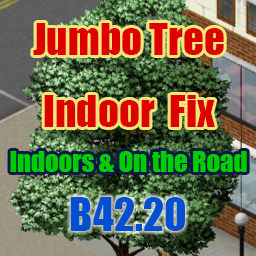
Project Zomboid Build 42.20で導入されたジャンボツリー(L, XL, XXLサイズ)が原因で発生する、屋内での家具や窓の視界が遮られるレンダリングバグを修正するMODです。屋内にいる間は近くのジャンボツリーを非表示にし、屋外に出ると元に戻します。また、車両運転中や徒歩移動中に視界を遮るジャンボツリーの樹冠(canopy)も描画調整(薄く表示または非表示)し、視認性を改善します。このMODは、公式開発元がバグを修正するまでの暫定的な解決策として提供されています。
このMODで何が変わるか
– **屋内での視界改善:** 建物内にいる際、周囲24タイル以内のジャンボツリー(L, XL, XXLサイズ)が完全に非表示になります。これにより、家具や窓が常にクリアに視認でき、建物から出るとすぐに木々は再表示されます。
– **運転中の視界改善:**
– 車両運転中、前方の道路を覆うXL/XXLサイズのジャンボツリーの樹冠が調整されます。
– デフォルトでは、樹冠は半透明にフェードし、根元付近で密度が高く、上部に向かって薄くなります。Modオプションで以前の「樹冠を完全に非表示」にするスタイルも選択可能です。
– 木の幹は常に表示されるため、衝突する可能性のあるオブジェクトは視界に残ります。
– 高速で運転するほど、視界調整の距離が伸びます。
– **徒歩移動中の視界改善:**
– 徒歩で移動中、プレイヤーの周囲のXL/XXLサイズのジャンボツリーの樹冠が、全方向で薄く描画されます。
– 立ち止まると、樹冠は通常の描画に戻ります。
– Modオプションを有効にすることで、より小さいLサイズのジャンボツリーの樹冠も薄く表示させることが可能です(デフォルトはオフ)。
– **Modオプションによる詳細設定:**
– 屋内外、運転中、徒歩移動中の効果をまとめてオン/オフするマスター設定。
– 運転中および徒歩移動中の樹冠の表示スタイル(フェード/幹のみ)。
– 運転中の道路を覆う樹冠の非表示機能のオン/オフ。
– 運転中の視界調整距離の選択(Long/Short)。
– 徒歩移動中の樹冠非表示機能のオン/オフ。
– 徒歩移動中の非表示範囲の選択(Standard/Narrow/Minimal)。
– 徒歩移動中にLサイズのジャンボツリーも対象に含めるかどうかの設定。
– **互換性・安全性:**
– 通常サイズの木には影響しません。
– クライアントサイドのレンダリングのみに影響し、ゲームの状態やセーブデータには何も書き込まれません。そのため、いつでも安全にMODの追加・削除が可能です。
– マルチプレイヤーでは、効果は各プレイヤーの画面にのみ適用されます。
想定されるメリット(推定)
– **視界の劇的な改善:** 屋内、車両運転中、徒歩移動中において、ジャンボツリーによる視界阻害が解消されるため、家具、アイテム、ゾンビ、車両、その他の障害物の視認性が大幅に向上すると考えられます。
– **ゲームプレイの快適性向上:** 特に森林地帯での探索や運転、高層階からの視界確保がより快適になり、ストレスなくゲームを楽しめると考えられます。
– **安全性とサバイバル効率の向上:** 運転中の事故リスクや、ゾンビによる奇襲を受ける可能性が視界の改善によって減少すると考えられます。これにより、探索や資源収集の効率が上がると予測されます。
– **没入感の維持:** ジャンボツリーによる不自然なレンダリングバグが解消されることで、ゲームの世界への没入感が損なわれにくくなると考えられます。
– **設定の柔軟性:** 用途に合わせてModオプションで細かく設定を調整できるため、プレイヤーの好みに合わせた視覚体験が得られると考えられます。
想定されるデメリット・注意点(推定)
– **視覚的な変化:** 木の描画が変化するため、バニラのグラフィック表現にこだわりがあるプレイヤーにとっては、景観が不自然に感じられる可能性があります。
– **ローカル分割画面での制限:** ローカル分割画面でプレイする場合、一方のプレイヤーのために非表示になった木がもう一方のプレイヤーの画面でも消えてしまう可能性があります。
– **衝突判定は不変:** 木が薄くなったり消えたりしても、そのコリジョン(衝突判定)はバニラのままです。見た目には何もないように見えても、木にぶつかる可能性があります。
– **公式アップデートとの競合:** 公式のゲームアップデートでこのレンダリングバグが修正された場合、このMODは不要になるか、競合が発生する可能性があります。
– **マルチプレイヤーのブラックアウトバグ:** バニラBuild 42.20のマルチプレイヤーには、ワールドストリーミングが停止し、マップが黒く表示される既知のバグが存在します。このMODはクライアントサイドレンダリングのみであるため、このバグの原因ではありませんが、問題発生時にMODのせいだと誤解される可能性があります。
向いている人(推定)
– Project Zomboid Build 42.20以降で、ジャンボツリーによる視界阻害に不満を感じているプレイヤー。
– 屋内外、運転中、徒歩移動中において、よりクリアで快適な視界でゲームをプレイしたいプレイヤー。
– 探索や運転中の安全性、効率性を重視し、不慮の事故やゾンビとの遭遇リスクを減らしたいプレイヤー。
– 公式の修正を待たずに、すぐにレンダリングバグを解決したいと考えているプレイヤー。
– バニラのグラフィック忠実度よりも、機能性やゲームプレイの快適性を優先するプレイヤー。
向いていない人(推定)
– Project Zomboidのバニラグラフィックや景観に強くこだわりがあり、木の描画が変化することを受け入れられないプレイヤー。
– MODによる視覚的な変更を避けたいプレイヤー。
– 公式の修正を待ち、暫定的なMODの導入を望まないプレイヤー。
総合評価(暫定)
– おすすめ度:★★★★★
– 根拠:
Project Zomboid Build 42.20で導入されたジャンボツリーによる視界阻害は、多くのプレイヤーが直面する既知のゲームプレイ上の問題です。このMODは、その問題に対して安全かつ効果的な解決策を提供しており、屋内外、運転中、徒歩移動中のあらゆるシチュエーションでの視認性と快適性を大幅に向上させます。セーブデータやネットワークに影響を与えないクライアントサイドの修正であり、Modオプションで細かな設定が可能な点も評価できます。ゲームプレイの質を大きく改善する点で、非常に有用性が高いと判断できます。
※この説明文はAIによる自動翻訳です。正確な情報は下記の原文またはSteam Workshop公式ページをご確認ください。
原文を見る(英語)
Update policy
This mod is feature-complete. Future updates will only cover compatibility with game updates and bug fixes
Only fixes for critical issues such as crashes are released immediately
[hr][/hr]
Build 42.20 added jumbo trees, and their canopies leave sketch-like outlines over rooms even while you are indoors, obscuring furniture and windows. This rendering bug is a known issue on the official forums, and this mod is a stopgap until it is fixed. While you are indoors, nearby jumbo trees are removed from rendering, and they come back the moment you step outside. Canopies that block your view while driving or on foot are thinned as well.
What changed in v1.6
Indoors is unchanged — nearby jumbo trees are still hidden completely, so furniture and windows stay visible
While driving and on foot, canopies now fade instead of disappearing — they are drawn translucent, thinning toward the top and returning to full density near the trunk. This is the default. The old look, with canopies removed entirely, is still available under “Canopy hiding style” in Mod Options
The look-ahead distance while driving is unchanged — only the look has changed
On-foot movement is now covered too — while you move through a forest, canopies around you are thinned in all directions. They return to normal when you stand still
L-size trees can now be included on foot (added in v1.6.2) — a Mod Options setting (off by default) also fades the smaller L-size jumbo trees
[hr][/hr]
Features
While driving, only the canopies of XL / XXL trees covering the road ahead are affected. Trunks stay visible, so anything you could hit remains in view. Higher speed extends the look-ahead distance, so wrecks and zombies hidden under a canopy are far less likely to catch you by surprise
While moving on foot, canopies of XL / XXL trees around you are thinned in all directions. They return to normal when you stand still
L-size jumbo trees are not affected by default while driving and on foot to keep the forest scenery intact (indoors covers all three sizes). While on foot, a Mod Options setting can include them
When you stop, trees return starting with the ones closest to you. Trees you have already passed are restored automatically as well
Trees that do not block your view — such as those on the far side of the road — stay visible
Entering a building automatically hides jumbo trees (L / XL / XXL sizes) within 24 tiles. They reappear immediately when you go back outside
Normal-sized trees are not affected. Nothing is written to your save — safe to add or remove at any time
Mod Options
Hide view-blocking jumbo trees (default: on) — master switch covering indoors, driving and on foot. Turn it off and apply to restore vanilla rendering instantly for comparison
Canopy hiding style (Fade / Trunk only, default: Fade) — how canopies look while driving and on foot
Hide road-covering canopies while driving (default: on) — only the canopy is affected; the trunk stays visible
Look-ahead distance while driving (Long / Short, default: Long) — choose how far ahead canopies are affected
Hide canopies around you while on foot (default: on)
On-foot hide range (Standard / Narrow / Minimal, default: Standard) — choose how far around you canopies are affected
Include smaller jumbo trees while on foot (default: off) — also fades L-size jumbo trees in addition to XL / XXL. Works with the Fade style only, since L-size trees have no separate trunk sprite
If you turned the driving option off in v1.4.1, that setting is still in effect. Turn it on in Mod Options if you want the feature.
Compatibility
Build 42.20
Client-side rendering only. Game state and saves are never touched
In multiplayer, the effect applies only to your own screen
Known limitations
In local split screen, trees hidden for one player also disappear on the other player’s screen, because both players share one rendering of the world. On a multiplayer server this does not apply — each client renders independently
Trees keep their normal collision — with trunks visible, what you can hit is what you see. Note that some trees can be walked through in vanilla anyway; this mod never changes collision
If you find any issues, please let me know in the comments.
If the world turns black in multiplayer
Vanilla 42.20 multiplayer has a bug, reported on the official forums (topic 98025 / topic 98035), where world streaming stops and everything beyond the loaded area shows black (white in fog). It happens with or without this mod, and removing the mod does not stop it. This mod changes client-side rendering only and writes nothing to the save or the network.
[hr][/hr]
Permissions
Please do not reupload this mod or reuse its code and assets in other mods without my permission. If you want to build on it, ask in the comments.
Workshop ID: 3774826484
Mod ID: JumboTreeIndoorFix
このMODはSteam Workshopで公開されています。ダウンロード・詳細は公式ページをご確認ください。