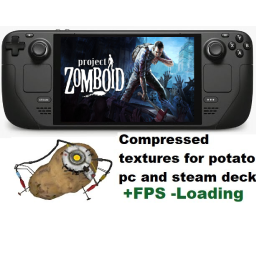
- 対応バージョン:不明
- サブスクライバー数:18250
- 最終更新:2026-09-25 21:30:19 UTC
- 制作者:76561198004276840
MOD説明(日本語)
MOD概要
ゲーム内の全ての3Dモデルのテクスチャを大幅に圧縮することで、ゲームのパフォーマンス向上を目指すMODです。特に低スペックPCや、B42アップデート後にゲームの動作が重くなったと感じるプレイヤー向けに設計されています。テクスチャ品質の低下を伴いますが、フレームレートの改善を主目的としています。
このMODで何が変わるか
– **グラフィック:** ゲーム内の全ての3Dモデルのテクスチャが大幅に圧縮されます。これにより、視覚的なテクスチャ品質が低下し、一部でアーティファクトが発生する可能性があります。
– **パフォーマンス:** PCのリソース消費が削減され、ゲームのフレームレートが向上します。特に、VRAMが少ないGPUや統合GPU、古いCPUを搭載したPCでの動作が改善されるとされています。
– **互換性:** Project Zomboidのオリジナルテクスチャを変更しないMODとは基本的に互換性があります。しかし、「Every Texture Optimized」とは併用できず、どちらか一方を選択する必要があります。他のMODが追加する新しいテクスチャ(車両、武器、服など)自体は最適化されません。
– **マルチプレイヤー:** サーバー側でこのMODが導入されていない場合でも、クライアント側でゲームのオリジナルテクスチャフォルダにMODのテクスチャファイルを直接コピーすることで、効果を適用することが可能です。
想定されるメリット(推定)
– 低スペックPCやノートPC、Steam Deckなどのデバイスで、Project Zomboidがよりスムーズに動作すると考えられます。
– 16倍人口設定や、多数のMOD(特にアイテムや車両などを追加するもの)を導入しているセーブデータにおいて、パフォーマンスの低下やカクつきが緩和される可能性があります。
– ゲームのロード時間が短縮されるなど、全体的な応答性が向上すると考えられます。
– バッテリー駆動のデバイスでは、リソース消費の削減がバッテリー持続時間の延長に寄与する可能性も考えられます。
想定されるデメリット・注意点(推定)
– テクスチャの大幅な圧縮により、ゲーム内のグラフィック品質が低下する可能性があります。特に、一部のテクスチャは「醜くなる」と明記されており、細部のディテールが失われたり、視覚的なアーティファクトが発生する可能性があります。
– グラフィックの美しさや没入感を重視するプレイヤーにとっては、視覚的な満足度が低下する可能性があります。
– 「Every Texture Optimized」など、同様の目的を持つ他のテクスチャ最適化MODとは競合するため、どちらか一方しか使用できません。
– 他のMODがZomboidのオリジナルテクスチャを変更している場合、このMODとの間に競合が発生し、予期せぬ表示問題(例: 車のテクスチャがフラットになる)が生じる可能性があります。
– マルチプレイヤーでサーバーに導入されていない場合の回避策としてゲームファイルを直接変更することは、Steamのゲームファイル整合性チェックで元に戻る可能性や、ゲームのアップデート時に問題を引き起こす可能性があるため、注意とバックアップが推奨されます。
向いている人(推定)
– 低スペックのPC、ノートPC、またはVRAMが少ない環境でProject Zomboidをプレイしており、動作の重さに悩んでいる人。
– Steam Deckや携帯ゲーミングPCでProject Zomboidをプレイしており、パフォーマンスとバッテリー持続時間の改善を求める人。
– 16倍人口設定など、多くのゾンビが出現する高負荷なゲーム設定でプレイし、安定したフレームレートを必要とする人。
– 多数のMODを導入しており、リソース消費が増加してゲームが重くなりがちな人。
– グラフィック品質のわずかな低下を許容し、それよりもゲームの安定した動作と高いフレームレートを優先する人。
向いていない人(推定)
– 高スペックPCを所持しており、既にProject Zomboidが快適に動作している人。
– ゲームのグラフィック品質、特にテクスチャの鮮明さやディテールを非常に重視する人。
– わずかな視覚的劣化も許容できないと感じるグラフィック志向のプレイヤー。
– 既に「Every Texture Optimized」などの他のテクスチャ最適化MODを使用しており、そのパフォーマンスと品質のバランスに満足している人。
– ゲームファイルの直接的な変更(マルチプレイヤーの回避策)に抵抗がある、またはそのリスクを避けたい人。
総合評価(暫定)
– おすすめ度:★★★★☆
– 根拠:低スペック環境や高負荷設定でProject Zomboidをプレイしているユーザーにとって、明確なパフォーマンス向上をもたらすことが期待できるため。テクスチャ品質の低下という視覚的なデメリットは存在するものの、それを受け入れられるならば、ゲーム体験を大幅に改善する可能性を秘めています。類似MODとの競合やマルチプレイヤーでの手動導入の手間といった注意点はありますが、その効果は多くのプレイヤーにとって価値があると考えられます。
※この説明文はAIによる自動翻訳です。正確な情報は下記の原文またはSteam Workshop公式ページをご確認ください。
原文を見る(英語)
Heavily compressed textures for better performance: greatly compresses textures from all 3d models in the game at the cost of some texture quality loss/artifacts. (yes this will make some textures uglier, but should not be too noticible)
Helps low end machines run the game, especially since B42 made the game more demanding to your pc.
How to install
Just activate the mod and you are ready to go.
For multiplayer, the server needs Potato Textures active on the server modlist. But theres a workaround for people who want the mod on servers that do not have potato textures enabled.
You can read the workaround at the end of the mod description on this page.
This mod works great for
potato pcs/laptops (low vram gpus, integrated gpus, 8/16gb ram, old cpus)
steam deck/machine
16x pop players
heavily modded saves (using mods add up and increase usage of your pc resources. this mod helps mitigate that a bit)
Mod compatibility
Potato Textures is compatible with all mods as long as those mods DON’T modify zomboid’s original textures. Mods that add new textures (like new vehicles, weapons, clothing) are compatible but Potato Textures do not optimize other mods (this means adding too many mods that add textures will keep adding strain to pc resources, which will affect negatively FPS)
Here is some mods that do not work properly with Potato Textures:
Every Texture Optimized: You should NOT use both this mod and every texture optimized at the same time. Just pick one. Both mods replace pretty much the same textures with compressed versions, enabling both mods will make one override the other.
(both Potato and ETO will boost performance, but Potato textures delivers harsher compression for maximum FPS gains at cost of quality. If you dont care about some mild loss of quality and want more FPS gains, I recommend using Potato instead of ETO)
How can I tell if the mod is working?
Go to character creator (quickly pick random game mode, location and traits to open the character creator
Pick male
Pick first skin option
Take all his clothing off
If you can see the Spiffo, the mod is active and working
Additional info and troubleshooting
Should be safe to add/remove from any existing saves (since this mod only replaces existing textures when its active).
If you have a problem with cars having flat color/no shading textures, set the “Maximum Vehicle Texture Size” to 512 (it will impact performance a bit tho)
If you think the mod is somehow not working while active, restart the game.
If the mod is not showing up on Zomboid after downloading: verify game files, clear steam’s download cache (settings>downloads>clear cache) and restart steam. Also verify if Potato Textures show in game proprieties>workshop tab.
Other things you can do and other mods for FPS/stuttering improvements on B42 stable
Lock the game to 60 FPS using the “Lock Framerate” option in zomboid performance settings (this helped me with random drops and 1% and 0.1% lows)
Allocate additional RAM (if you have enough free RAM)
Play on fullscreen and use a lower resolution that matches your screen format (like 16:9 ->1920 × 1080 to 1600 × 900)
Check this mod collection of other performance mods that will help your game run better.
Workaround for using the mod on multiplayer servers that do not have Potato Textures on the modlist
-Download my mod
-Copy texture files from mod folder:
\————> steamapps\workshop\content\108600\3775173406\mods\Potato textures – better fps\42\media\textures
-First I recommend to make a backup (preferably outside zomboid game folders). After the backup, paste the mod textures on original textures game folder:
\————>steamapps\common\ProjectZomboid\media\textures
-The game has now the mod by default, no need to activate Potato Textures
-Join server
To revert the texture files to their original state, use the backup you made OR verify game files (steam will download them back)
Workshop ID: 3775173406
Mod ID: potatoFPS
このMODはSteam Workshopで公開されています。ダウンロード・詳細は公式ページをご確認ください。