- 対応バージョン:1.5
- サブスクライバー数:19809
- 最終更新:2026-10-02 22:36:52 UTC
- 制作者:76561197975526631
MOD説明(日本語)
MOD概要
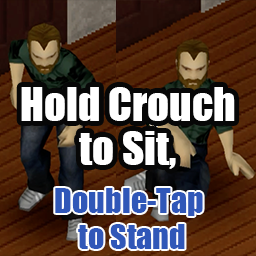
Cキー(屈むキー)の長押しでその場に座る機能を追加するMODです。座っている時にCキーをダブルタップすると素早く立ち上がります。Cキーの短押しはバニラの屈む/ステルストグルとして機能し、既存の挙動は変更されません。キーボードとコントローラーの両方に対応しています。Modオプションで立ち上がりモーションの高速化や、座る動作のホールド時間などを設定できます。
このMODで何が変わるか
– **Crouchキー(デフォルトC)の機能拡張:**
– 短押し:バニラ通りのステルス(屈む)の切り替え。
– 長押し:その場に座る。
– 座っている時にダブルタップ:バニラと同じ素早いモーションで立ち上がる。
– **コントローラー操作の拡張(前提条件あり):**
– ホールドで座る機能を利用するには、バニラの「Enable left joystick radial menu」(オプション→アクセシビリティ)をオフにする必要があります。
– 立っている時にダブルタップ:オートウォークのオン/オフを切り替える。
– オートウォーク中はキャラクターの上にアイコンが表示される。
– **キーバインドの動的な追従:** Crouchキーのバインドをゲーム内オプションで変更しても、ゲーム再起動なしでMODがその変更に追従します。
– **バニラの「Sit On Ground」との共存:** バニラの「Sit On Ground」コマンドとは独立して動作するため、異なるキーに割り当てることで両方を併用可能です。
– **Modオプションの追加:**
– **Hold threshold (ms):** 座るアクションがトリガーされるまでのCrouchキーのホールド時間を設定(デフォルト500ms、コントローラーでは最小400ms)。
– **Hide “Sit on ground” in the right-click menu:** 右クリックメニューのバニラの「Sit on ground」項目を非表示にする。
– **Show an auto-walk icon above the character:** オートウォーク中にキャラクターの上にアイコンを表示する。
– **Always get up quickly:** 全ての立ち上がり動作(地面や家具から)を素早いモーションにする(デフォルトオフ)。
– **対応バージョン:** Build 42のみ。
– **言語対応:** 英語、日本語。
想定されるメリット(推定)
– **操作性の向上:** 座る動作や立ち上がる動作がCrouchキーに集約され、より直感的かつ素早く行えるようになると考えられます。特に、立ち上がり時に走るキーを押す必要がなく、Crouchキーだけで完結できるのは利便性が高いと推測されます。
– **没入感の向上:** キャラクターがその場で手軽に座れるようになることで、休憩や見張りといったシチュエーションでのロールプレイがしやすくなると考えられます。
– **コントローラーでの利便性向上:** コントローラー使用時、前提条件を満たすことで失われるオートウォーク機能をCrouchキーのダブルタップで補完できるため、機能的な損失を避けて操作性を維持できると推測されます。
– **カスタマイズ性:** ホールド時間やメニュー表示などをModオプションで調整できるため、プレイヤーの好みに合わせた操作感を実現できると考えられます。
想定されるデメリット・注意点(推定)
– **操作の慣れが必要な可能性:** Cキーの短押し、長押し、ダブルタップで複数の異なるアクションが割り当てられるため、慣れるまでは意図しない操作をしてしまう可能性があります。
– **コントローラー使用時の設定変更の必要性:** ホールドで座る機能を利用するには、バニラの「Enable left joystick radial menu」をオフにする必要があるため、既存のコントローラー操作に慣れているプレイヤーは設定変更に注意が必要となる可能性があります。これにより、当該ラジアルメニュー自体が利用できなくなる影響も考慮する必要があるかもしれません。
– **マルチプレイヤーでの動作保証の不確実性:** マルチプレイヤーについては「動作するはずだが、現在未検証」とされているため、予期せぬ挙動や問題が発生する可能性があります。
– **バージョン依存性:** Build 42専用であると明記されているため、将来のゲームバージョンアップデートで動作しなくなる可能性があります。
向いている人(推定)
– **ロールプレイを重視するプレイヤー:** その場で座って休憩したり、景観を楽しんだりする際に、手軽に座る動作を行いたいと考えるプレイヤーに適していると考えられます。
– **操作の簡素化を好むプレイヤー:** 座る・立つ動作を一つのキーに集約し、よりスムーズな操作感を求めるプレイヤーに適していると推測されます。
– **コントローラーでプレイするプレイヤー:** コントローラーでの操作性を改善したい、特にオートウォーク機能を利用したいプレイヤーに適していると考えられます。
– **素早い反応を求めるプレイヤー:** 「Always get up quickly」オプションで常に素早い立ち上がりを求めるプレイヤーに適していると考えられます。
向いていない人(推定)
– **Cキーの既存の挙動を厳密に維持したいプレイヤー:** Cキーの短押し、長押し、ダブルタップで複数の機能が割り当てられるため、既存の屈む動作にのみ使いたいプレイヤーには向かない可能性があります。
– **コントローラーの左スティックラジアルメニューを頻繁に利用するプレイヤー:** ホールドで座る機能を利用するためにこのメニューを無効化する必要があるため、その機能を重視するプレイヤーには向かない可能性があります。
– **マルチプレイヤーでの完全な動作保証を求めるプレイヤー:** マルチプレイヤーでの動作が未検証であるため、問題発生時に困る可能性があると考えるプレイヤーには不確実性が伴うと考えられます。
総合評価(暫定)
– おすすめ度:★★★★☆
– 根拠:Crouchキーの多機能化により操作性が向上し、特にロールプレイやコントローラーユーザーにとって利便性が高いと見込まれます。Build 42専用であることやマルチプレイヤーでの動作の未検証という注意点はありますが、ゲーム体験を豊かにする機能追加として評価できます。Modオプションで細かく調整できる点も好印象です。サブスクライバー数は不明のため、機能ベースで評価しています。
※この説明文はAIによる自動翻訳です。正確な情報は下記の原文またはSteam Workshop公式ページをご確認ください。
原文を見る(英語)
Hold the Crouch key (vanilla default C) to sit down on the spot. Double-tap it while sitting and your character gets up quickly. A short tap still toggles sneaking exactly like vanilla, so no vanilla behavior is lost. Works with both keyboard and controller.
Update (v1.5): New Mod Option “Always get up quickly” (off by default). When on, every get-up from the ground or furniture uses the quick motion, however you start it.
[hr][/hr]
Features
Tap to sneak, hold to sit — A short tap behaves the same as vanilla (instant sneak toggle). Hold the key past the threshold (default 500ms) and the character sits down on the spot.
Double-tap to get up quickly — Press the Crouch key twice within 500ms while sitting and your character stands up with vanilla’s quick get-up motion, the one you normally trigger by holding the run key. Sitting down and getting up both stay on the Crouch key.
Dynamic key binding — Reads your current primary / alternate Crouch binding every frame via getCore():getKey(“Crouch”). Rebind Crouch in Options → Key Bindings and the mod follows immediately — no game restart needed.
Coexists with vanilla “Sit On Ground” bind — Watches the Crouch bind independently of vanilla’s SitOnGround key handler, so assigning them to different keys lets you use both.
[hr][/hr]
Controller (v1.3)
Prerequisite: to sit by holding, turn off vanilla’s “Enable left joystick radial menu” (Options → Accessibility). Vanilla assigns the L3 hold to that radial menu, so while it is enabled the menu keeps opening as usual and the mod’s hold-to-sit does not trigger. The mod’s double-tap takes over the auto-walk toggle you lose by turning the menu off.
Everything stays on the Crouch button (default L3 = left stick press).
Short press — sneak toggle (vanilla, unchanged).
Hold — sit down on the spot.
Double-tap while standing — toggle auto-walk.
Double-tap while sitting — get up quickly.
While auto-walking — an icon shows above your character.
Notes:
The two double-taps and the icon work regardless of the radial menu setting.
Toggling auto-walk on while standing still starts walking in the direction you are facing. Sitting down turns auto-walk off.
Rebinding the controller Crouch button is followed automatically.
On a controller, the hold threshold has an effective minimum of 400ms (to stay clear of vanilla’s sneak-toggle click detection).
[hr][/hr]
Mod Options
Configure via Options → Mods → Hold Crouch to Sit:
Hold threshold (ms) (default 500, range 200–1000 in 50ms steps, 400ms minimum on controllers) — How long the Crouch key must be held before the sit action triggers. Shorten it to 200–350ms for a snappier feel on keyboard.
Hide “Sit on ground” in the right-click menu (default off) — Hides the vanilla “Sit on ground” entry in the right-click menu. If you sit with the Crouch key, you can remove the entry you no longer need.
Show an auto-walk icon above the character (default on) — Shows an icon above your character while auto-walk is on.
Always get up quickly (default off) — Every get-up from the ground or furniture uses the quick motion, whether you start it by moving, from the right-click menu, or with a key. The double-tap works regardless of this setting.
The double-tap window is fixed at 500ms and is separate from the hold threshold above.
[hr][/hr]
Compatibility
Supported version: Build 42 only (versionMin=42.0.0)
Singleplayer: tested and working.
Multiplayer: client-side input handling that calls vanilla reportEvent(“EventSitOnGround”) / setSneaking / setAutoWalk — the same APIs vanilla uses. It should work on hosted / dedicated servers but is currently unverified.
Languages: English / Japanese (the Mod Options strings, Translate//UI.json). Localization contributions are welcome.
[hr][/hr]
Permissions
Please do not reupload this mod or reuse its code and assets in other mods without my permission. If you want to build on it, ask in the comments.
Workshop ID: 3729411754
Mod ID: HoldCrouchToSit
このMODはSteam Workshopで公開されています。ダウンロード・詳細は公式ページをご確認ください。