- 対応バージョン:不明
- サブスクライバー数:93712
- 最終更新:2026-10-29 09:44:15 UTC
- 制作者:76561197960296580
MOD説明(日本語)
MOD概要
Project Zomboidのオリジナル「Mini Health Panel」を現代化し、拡張したMODです。バニラの健康パネルを常に開くことなく、キャラクターの現在の状態を清潔でコンパクト、かつ高度にカスタマイズ可能なインターフェースで表示します。
オリジナル版(Speedy Von Gofast作)をTwisTonFireが大幅に再構築・拡張しており、インターフェース、ユーザビリティ、互換性、機能が多数改善されています。日本語を含む多言語に対応しています。
このMODで何が変わるか
* **UI/表示の改善と追加:**
* UIがスケーラブルに対応し、HDテクスチャを使用します。
* パネルの常に最前面表示オプション、常時表示オプションが追加されます。
* ドラッグ&ドロップ動作と分離型設定ウィンドウが改良されます。
* 傷の治療アニメーションが、以前の激しい点滅からソフトな脈動アニメーションに変更され、アニメーション速度はインゲーム設定メニューで調整可能、変更のライブプレビューも可能です。
* オプションで筋肉疲労インジケーターが表示されます。
* オプションで「Better Character Info」MODがインストールされている場合、アバターとの統合機能が利用できます。
* インゲームModオプションが追加され、MODの完全な無効化や、「治療が必要な時だけ表示」する設定が可能です。
* サンドボックスオプションが追加され、ワールド作成者やサーバーホストは以下のヘルパー機能の有効・無効を設定できます。
* 汚れた包帯に対する「Replace Bandage」コンテキストメニューの追加。
* 包帯や添え木を安全に除去できるタイミングを示す青色インジケーター表示。
* 縫合した傷の確認(抜糸)が必要なタイミングを示す紫色インジケーター表示。
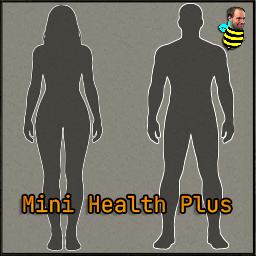
* キャラクターの体のシルエットに、傷や治療状態が色分けされてコンパクトに表示されます。設定により、常に表示、注意が必要ない時に非表示、治療が必要な時のみ表示を選択できます。
* **各色の意味:**
* 赤く脈動:治療が必要な部位。
* 白:現在包帯または添え木で処置済み。
* スカイブルー:包帯/添え木で処置済みの部位が完全に治癒し、安全に除去可能。
* オレンジ:包帯が汚れており交換が必要。
* 紫:縫合した傷が確認(抜糸)するのに適したタイミング。
* 包帯済みでも脈動する場合:治療が完了していない状態(例:体内のガラス片、深い傷、縫合が必要、その他の未処置状態)。
* 筋肉疲労インジケーター(オプション)は、疲労度が増すにつれて表示が濃くなり、色もオレンジから赤へ変化します。自動非表示設定時、特定の疲労しきい値で一時的に表示され、高レベル疲労ではパネル表示が維持されることがあります。
* **操作方法:**
* パネルを左クリックすると、バニラの健康パネルが開きます。
* パネルを右クリックすると、治療アクションや設定を含むMini Healthコンテキストメニューが開きます。
* パネルはドラッグして画面上の任意の位置に移動できます。
* 歯車ボタンをクリックすると、Mini Health Plusの設定ウィンドウが開きます。
想定されるメリット(推定)
* バニラの健康パネルを頻繁に開く手間が省け、ゲームプレイの流れが中断されにくくなると考えられます。
* キャラクターの健康状態(傷、治療状況、包帯の交換時期、抜糸のタイミング、筋肉疲労など)をリアルタイムで一目で把握できるため、管理が効率化されると予想されます。
* 特に戦闘中や探索中など、素早い状況判断が求められる場面で、キャラクターの状態を迅速に確認できるため、生存率向上に貢献する可能性があります。
* UIのカスタマイズ性が高く、プレイヤーの好みに合わせて画面の表示を調整できるため、より快適なゲーム体験が得られると考えられます。
* 「Better Character Info」MODとの連携により、より統合されたキャラクター情報表示と健康管理が可能になる可能性があります。
* サンドボックスオプションを通じて、サーバー管理者やワールド作成者がゲームの難易度や情報提供の度合いを細かく調整できるため、多様なプレイスタイルに対応しやすくなると考えられます。
想定されるデメリット・注意点(推定)
* 常に表示される設定にした場合、画面の一部を占有し、他のUIやゲーム内の視界をわずかに妨げる可能性があります。
* 表示される情報が多すぎると、一部のプレイヤーはUIが煩雑に感じることがあるかもしれません。
* 「Better Character Info」との統合機能を利用するには、別途そのMODを導入する必要があります。
* 他のUI変更MODや、特定のスクリプトを使用するMODとの間で、稀に競合が発生する可能性がゼロではありません。
* 新たなUI要素が追加されるため、導入当初は新しい表示に慣れるまでに時間がかかる可能性があります。
* Mod Optionで「治療が必要な時だけ表示」にすると、治療が必要ない健康な状態での情報表示はされなくなるため、平時の細かい状態管理には向かない可能性があります。
向いている人(推定)
* リアルタイムでの状況判断を重視し、迅速な健康状態の把握を求めるプレイヤー。
* バニラの健康パネルを開く動作が煩わしいと感じているプレイヤー。
* 効率的かつ詳細なキャラクターの健康管理を好むプレイヤー。
* UIのカスタマイズ性が高いMODを好み、自分のプレイスタイルに合わせて調整したいプレイヤー。
* Project ZomboidのUIをよりモダンで視覚的に分かりやすいものにしたいと考えているプレイヤー。
* 高難易度設定でプレイしており、素早い情報把握が生存に直結すると考えるプレイヤー。
* 「Better Character Info」MODを使用している、または導入を検討しているプレイヤー。
向いていない人(推定)
* 画面上のUI要素を極力減らし、より没入感のあるクリーンな画面を好むプレイヤー(ただし、「治療が必要な時だけ表示」オプションで大部分は解決可能です)。
* バニラのUIに完全に慣れており、変更を特に望まないプレイヤー。
* 情報を自分で探しに行くような、ミニマリストなゲームプレイや深いロールプレイングを重視するプレイヤー(「治療が必要な時だけ表示」オプションで調整可能)。
* MODの導入や設定変更に手間をかけたくないプレイヤー。
総合評価(暫定)
* おすすめ度:★★★★★
* 根拠:既存のMini Health Panelからの大幅な改善点、多岐にわたる豊富な機能、高いUIカスタマイズ性、人気MOD「Better Character Info」との連携、多言語対応(日本語を含む)、サーバー管理者向けのサンドボックスオプションなど、プレイヤーのゲーム体験を大きく向上させる要素が多数含まれています。キャラクターの健康管理を大幅に効率化し、ゲームプレイの快適性を高めるため、非常に有用なMODと判断します。
※この説明文はAIによる自動翻訳です。正確な情報は下記の原文またはSteam Workshop公式ページをご確認ください。
原文を見る(英語)
A modernized and expanded rework of the original Mini Health Panel, designed to give you a clean, compact, and highly customizable overview of your character’s condition without constantly opening the vanilla health panel.
This version is based on Mini Health Panel by Speedy Von Gofast, but has been heavily reworked and extended by TwisTonFire with many interface, usability, compatibility, and feature improvements.
What this version adds
Scalable UI
HD textures
Always-on-top option
Always-visible option
Improved drag and drop behavior
Improved detached settings window
Soft pulse injury animation instead of the old harsh fast blinking
Adjustable animation speed directly in the built-in settings menu
Live preview for animation speed changes before saving
Optional muscle strain indicators
Optional Better Character Info avatar integration
In-game Mod Options to disable the mod or only show it when treatment is needed
Sandbox options to decide which helper features should be enabled
Translations for many languages
Ongoing improvements with more refinements planned over time
In-game Mod Options
Mini Health Plus now includes additional in-game Mod Options for players and server communities who want more control over when the UI appears.
Current Mod Options include:
Disable Mini Health Plus
Completely disables the Mini Health Plus panel if you do not want to use the UI.
Only show when treatment is needed
Mini Health Plus only appears when there is a wound or condition that truly requires treatment.
These options are useful for players who prefer a cleaner screen, or for multiplayer communities where some players may not want the panel visible all the time.
Better Character Info integration
If Better Character Info is installed, Mini Health Plus can optionally show the BCI avatar popout during idle moments.
When enabled:
The BCI avatar can be shown when Mini Health Plus has nothing important to display.
Mini Health Plus automatically switches back in when a wound, treatment state, stitch check, removable treatment, or relevant muscle strain state needs attention.
The BCI avatar and Mini Health Plus panel are kept separated during normal idle/attention states, so they do not overlap unnecessarily.
A small Mini Health Plus settings gear can appear on the BCI avatar popout while hovering it.
Opening the Character Info screen can still work normally while keeping the Mini Health Plus controlled avatar behavior intact.
This integration is optional and only appears when Better Character Info is active.
Sandbox Options — You decide the rules
Mini Health Plus includes sandbox options, allowing world creators and server hosts to decide how much help the UI should provide.
Current sandbox options include:
Enable Replace Bandage
Adds the Replace Bandage context menu entry for dirty bandages.
Blue indicator for safe removal
Shows when a bandage or splint can likely be removed safely.
Purple indicator for stitch check
Shows when a stitched wound has likely reached the point where it should be checked.
What it does
Mini Health Plus provides a compact and minimalistic overview of your character’s wounds and treatment states.
The silhouette can stay visible at all times, hide itself when there is nothing that needs attention, or only appear when actual treatment is required, depending on your settings.
Pulsing red means a body part still needs treatment.
White means the wound is currently bandaged or splinted.
Sky blue means a bandaged or splinted body part appears fully healed and the treatment can likely be removed safely.
Orange means the bandage is dirty and should be replaced.
Purple means a stitched wound has likely reached the point where it is worth checking and removing the stitches. In most cases, only a scratch may remain afterward.
If a wound is already bandaged but still pulses, it usually means it is not fully treated yet — for example: lodged glass, a deep wound, stitches still needed, or another untreated condition.
Muscle Strain
Mini Health Plus includes optional support for muscle strain indicators.
The strain display becomes more visible as strain increases and changes color from orange to red depending on severity.
If auto-hide is enabled, the silhouette can briefly reveal itself when a strain threshold is reached. Higher strain levels stay visible longer, and very high strain levels can keep Mini Health Plus visible while attention is still needed.
Built-in settings
Mini Health Plus includes its own detached settings window with options such as:
Always on top
Always visible
Health bar
Muscle strain display
Window lock
Hover background
Animation speed
Better Character Info avatar on idle, if Better Character Info is installed
How to use it
Left click opens the vanilla health panel.
Right click opens the Mini Health context menu with available treatment actions and settings.
Drag and move the panel wherever you want on your screen.
Gear button opens the Mini Health Plus settings window.
Translations
English
Deutsch
Français
Español
Português do Brasil
Polski
Русский
Українська
Türkçe
简体中文
繁體中文
日本語
한국어
Credits
Based on Mini Health Panel by Speedy Von Gofast.
This version has been substantially reworked, expanded, and maintained by TwisTonFire.
Body Damage:
Muscle Strain (optional):
Your support helps me keep going — thank you very much in advance!
Workshop ID: 3710913197
Mod ID: MiniHealthPlus
このMODはSteam Workshopで公開されています。ダウンロード・詳細は公式ページをご確認ください。